Your members open your app every day. Your offers should be waiting there.
Think about a member’s week. They check in, book a class, track their progress, and check their account, all from the same app. Those are the moments they’re paying attention. A promotional banner puts your next offer in front of them while they’re already in your app, with a link to the next step.
What a banner can do for your club
- Promote what you’re selling. Packages, memberships, personal training, workshops, and challenges. One banner, one offer, one clear next step.
- Send members straight to the sale. Link the banner to your storefront, and members can start a trial or buy a membership in a few taps.
- Share news the moment it happens. Schedule changes, holiday hours, and new classes reach members while they’re in the app, not buried in an inbox.
- Look like your club. Banners appear in your club-branded app, so every message carries your brand.
Make the most of the holiday season
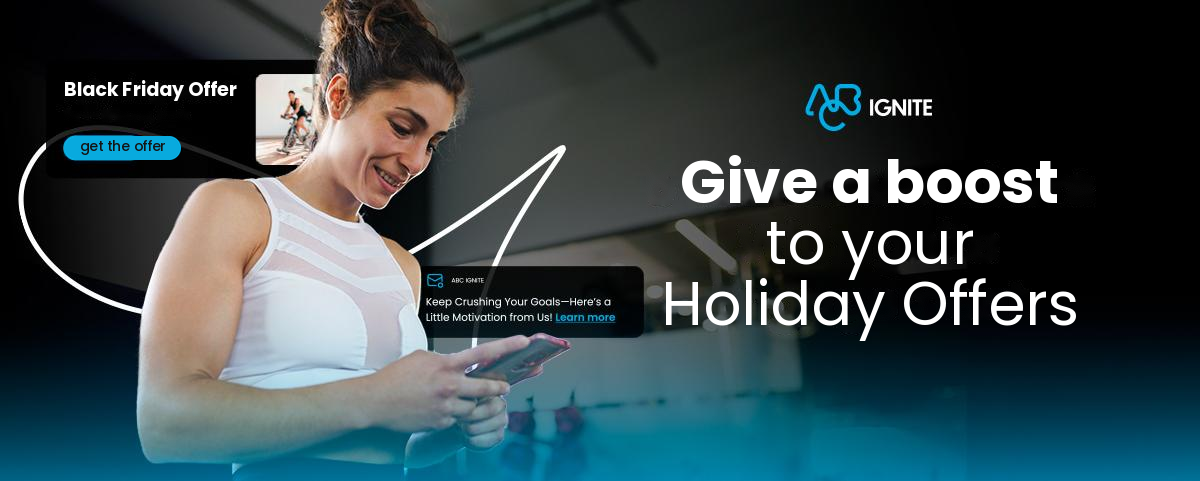
The holidays are when clubs make their biggest pitch. Black Friday week brings joining deals, the last weeks of the year bring “start now” offers, and January brings a fresh start. Here’s what that looks like in the app.
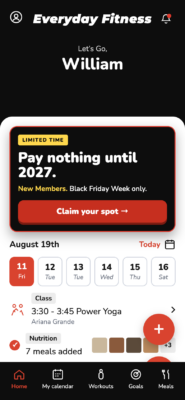
Black Friday week: “Pay nothing until 2027.” The deadline is clear, and the offer is easy to understand at a glance.
Your club’s offers, dates, and terms will be different.
Grow Your Business: Access 2026's Top Fitness Trends Now
DownloadKeep members coming back all year
Banners aren’t just for sales. Clubs use them to keep members engaged between big promotions.
- Classes: “New Saturday HIIT class starts this week. Save your spot.”
- Challenges: “30-day challenge starts Monday. Join in the app.”
- Schedule changes: “Studio closed for maintenance Thursday. Classes move to Friday.”
A steady stream of useful banners keeps the app part of a member’s routine, so your next big offer lands with an audience that’s already paying attention.
Tips for banners that get taps
- Lead with the benefit. “Join by Friday and save” gets more attention than “Membership options.”
- One message per banner. Clear beats clever.
- Link to the exact page. Send members to the trial, the class, or the membership, not your homepage.
- Set an end date. A deadline gets people moving.
Ready to set one up?
Our step-by-step guide walks you through every setting, from choosing a design to publishing.