
![[ABC-Ignite]_Blog_header-monthly-product-updates_2026-June](https://ignite.abcfitness.com/wp-content/uploads/2026/10/ABC-Ignite_Blog_header-monthly-product-updates_2026-June.png)
Stronger billing controls, clearer financial reporting, and easier ways for members to pay, join, and get support
June’s releases focus on the financial controls that keep club accounts accurate. Updates to recurring billing, account reinstatements, and subscription scheduling give teams configurable options and built-in guardrails for recovering revenue and handling exceptions with confidence. A new Canadian Tax Statement and a Collections Analysis dashboard bring more financial detail into Ignite Insights, giving operators a clearer view of tax obligations and collections performance.
On the member side, IGNITE Engagement added a payment choice that keeps newly added cards from sitting unassigned, a front desk role for app and login support (currently in early access), and a faster way for members to link a bank account when they join. Together, these updates help clubs run operations with tighter control while making it easier for members to pay, join, and stay connected. Here is how each one fits.
Manage Your Business with Confidence
Surcharge for Recurring Billing
Clubs can now offset card processing costs by applying a configurable surcharge to recurring billing transactions, rather than absorbing those fees as an operating expense. Surcharge calculations account for state regulations, card network rules, and actual processing costs, so the surcharge stays compliant without manual calculation. ABC configures the surcharge to fit each club’s business model. It is not enabled automatically for any account, and existing billing flows are unaffected until a configuration is put in place.
This enables:
- Recovery of card processing costs on recurring transactions
- Surcharge calculations that reflect state rules and card network requirements
- Configuration tailored to each club’s billing model, with no change to existing billing until it is set up
Reinstating Accounts from Return for Collection
Commerce v2.57.02 adds a Reinstate action to the Member Dashboard for accounts in Return for Collection (RFC) status. Staff choose one of two paths. Reinstate until a date sets a future reinstatement date and calculates the RFC grace period from today. Reset Account cancels all RFC subscriptions and resets the member balance to zero. Both paths require an adjustment code and a cancellation reason, and the Balance, Transactions, and Subscriptions widgets refresh automatically so staff see the updated account right away. The same release also decouples collection agency configuration from automatic RFC processing, so clubs can manage agency settings whether or not automatic RFC processing is enabled.
This enables:
- Reinstatements tied to a specific date or a full account reset, with required reason codes
- Immediate visibility of the updated balance, transactions, and subscriptions
- Agency settings managed independently of automated RFC processing
Subscription Billing Validations and Price Adjustment Visibility
Two more Commerce v2.57.02 updates strengthen subscription accuracy. Cross-validation rules now enforce date order between future refunds and prorated freezes on the same invoice. A future refund must be scheduled before the earliest prorated freeze start date, and a prorated freeze must start after the latest scheduled future refund. These rules prevent conflicting schedules from being created. In addition, the View All Subscriptions view now shows which invoices have price adjustments linked to them, and selecting one opens a panel with the adjustment details. Pricing history is visible within the primary member view.
This enables:
- Fewer billing errors caused by overlapping refunds and prorated freezes
- Clear scheduling order for refunds and freezes on the same invoice
- Subscription pricing history that is easy to review from the member’s record
Canadian Tax Statement in the Financial Data Mart
Canadian clubs can now view GST, HST, and QST on ABC fees directly in Ignite Insights through the Canadian Tax Statement, which is built natively on the Financial Data Mart (FDM) on Databricks. Taxes are calculated at the province level on fees such as transaction processing, administrative, chargeback, credit card pass-through, club account, and IGNITE Engagement fees. Each line shows the description, unit price, tax rate, and tax amount, and the totals reconcile to the month’s billing deductions. The report also supports scheduled delivery, so clubs can receive it on their own cadence. The statement restores the tax visibility Canadian clubs relied on in CRS and supports the GST and HST input tax credit claims those clubs depend on.
This enables:
Grow Your Business: Access 2026's Top Fitness Trends Now
Download- Province-level tax detail that reconciles to billing deductions
- Continuity of tax reporting for clubs moving from CRS
- Scheduled delivery that fits each club’s reporting cycle
Engage Your Members More Effectively
Payment Method Assignment Prompt
When a member saves a new card in the IGNITE Engagement app, they are now asked how that card should be used: for membership dues, as a card on file for one-time purchases and in-club charges, or both. The choice is required before the member can continue. The first card added is pre-selected for membership. If membership is already assigned to another card, the new card is not pre-selected, and an inline warning shows which card would be displaced and asks the member to confirm before replacing it. The label “One-time” has been renamed “Card on File” across the affected mobile screens to match how clubs and members describe stored cards. This is live for all clients on Engagement mobile app version 8.16.x.cp6 and above.
This enables:
- A clear decision about how each new card will be used, so a saved card is not left unassigned
- Less risk of a member arriving at the club with a card that looks active but is not set up for dues
- Explicit confirmation before a membership payment method is replaced
Front Desk Role (Pilot)
IGNITE Engagement now includes a restricted front desk role for staff who support members with app setup, login resets, and onboarding. The role is web-only and shows a members-only navigation, so coaching content, staff settings, and other areas are hidden. Front desk staff can send invitations, consultation forms, and password resets, copy setup links, and view member summaries. Access is scoped by location, so staff only see members at their assigned clubs. Roles can be assigned individually, in bulk, or automatically for new imports through the Integrations flow. This role is in early access and is enabled by feature flag, location by location.
This enables:
- Front desk support for common app and login questions without escalating to trainers
- Location-scoped access, so staff see only the members at their own club
- Support actions without access to coaching content or settings
Grow Your Business More Strategically
Pay Page and Stripe Financial Connections for ABC Online Join
Pay Page is now live for clubs using ABC Online Join. The join flow stays the same for members, but the integration sets a new foundation for the payments experience. For members in the United States, Stripe Financial Connections lets them link a bank account within the checkout flow without entering routing or account numbers. The integration also limits where cardholder data flows, which supports a reduced PCI scope across IGNITE. Clubs that upgrade to ABC Commerce using ABC Online Join receive Pay Page automatically going forward, and the foundation supports digital wallet options in future releases.
This enables:
- A faster bank-linking step at join, which can help reduce drop-off during onboarding
- Less cardholder data moving through the club’s systems
- Richer financial data that can support more informed billing decisions
Collections Analysis Dashboard
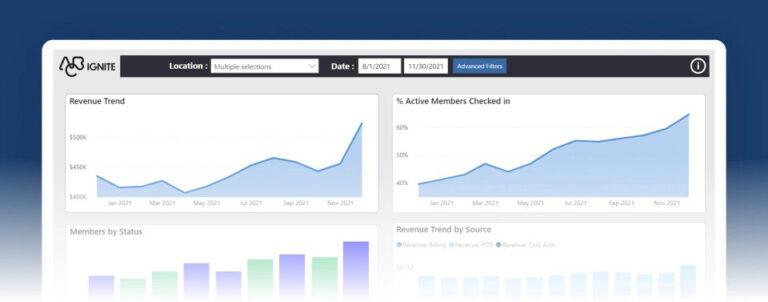
Ignite Insights now includes a Collections Analysis dashboard for franchise operators. It was built from the collections view that the ABC Payment Operations team uses internally. The dashboard tracks collections performance on invoices over time, following collections beyond the month an invoice was issued for a fuller picture of recovery. A Commerce Summary tab is included. The dashboard is designed for management insight rather than reconciliation to billing or financial statements, so totals can differ from standard financial reporting.
This enables:
- Visibility into collections performance across the months after an invoice is issued
- A management view that helps operators understand recovery trends
- Commerce activity summarized in one dedicated tab
Designed for the Modern Fitness Business
June’s updates strengthen the way clubs manage billing, collections, and tax reporting, from surcharges that help offset processing costs to reinstatement rules that keep accounts consistent. Each release is built to give operators more control over the financial side of the business while keeping the member experience simple and direct.
Want to keep track of new IGNITE releases as they happen? Follow our product updates page at abcfitness.com/product-updates to stay current on what’s new across the platform.


![[ABC-Ignite]_Blog_header-monthly-product-updates_2026-September](https://ignite.abcfitness.com/wp-content/uploads/2026/10/ABC-Ignite_Blog_header-monthly-product-updates_2026-September-400x160.png)
![[ABC-Ignite]_Blog_header-monthly-product-updates_2026-August](https://ignite.abcfitness.com/wp-content/uploads/2026/10/ABC-Ignite_Blog_header-monthly-product-updates_2026-August-400x160.png)
![[ABC-Ignite]_Blog_header-monthly-product-updates_2026-July](https://ignite.abcfitness.com/wp-content/uploads/2026/10/ABC-Ignite_Blog_header-monthly-product-updates_2026-July-400x160.png)
![[ABC-Ignite]_Blog_header-monthly-product-updates_2026-May](https://ignite.abcfitness.com/wp-content/uploads/2026/10/ABC-Ignite_Blog_header-monthly-product-updates_2026-May-400x160.png)
![[ABC-Ignite]_Blog_header-monthly-product-updates_2026-April](https://ignite.abcfitness.com/wp-content/uploads/2026/05/ABC-Ignite_Blog_header-monthly-product-updates_2026-April-400x160.png)
![[ABC-Ignite]_Blog_header-monthly-product-updates_2026-January-March](https://ignite.abcfitness.com/wp-content/uploads/2026/04/ABC-Ignite_Blog_header-monthly-product-updates_2026-January-March-400x160.png)